
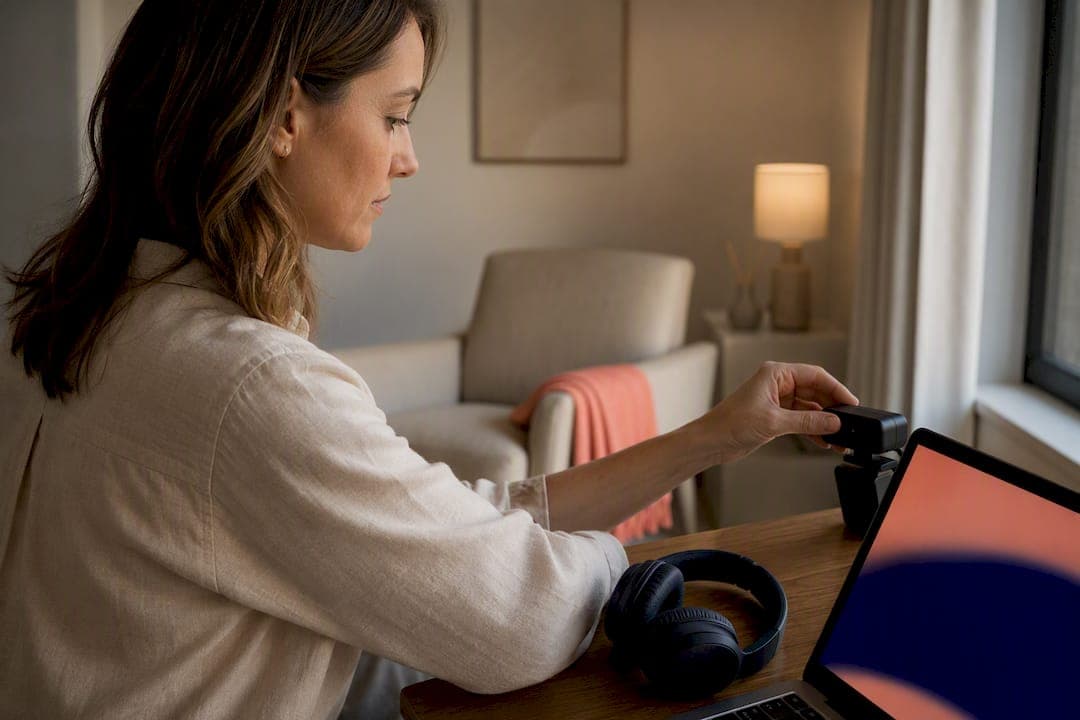
Pick a private, stationary space, test your tech well before the session, and show up present and on time. That's the entire foundation of good telehealth etiquette therapy. Kin Wellness clinicians and federal guidance from Telehealth both point to the same three habits as the difference between a session that works and one that doesn't.
TL;DR:
- A private, stationary space with Do Not Disturb settings and a reliable internet connection are essential for confidential and focused telehealth sessions.
- Testing your devices, platform, and environment at least 15 minutes before your session prevents disruptions and helps you feel prepared.
- During sessions, maintain eye contact by looking at the camera, sit farther back to share more body language, and communicate technical issues immediately.
- Confirm your location, understand privacy and recording policies, and have emergency contacts ready to ensure safety during virtual therapy.
- Telehealth may not suit situations involving active suicidal plans, severe psychosis, or immediate physical danger, which require in-person or emergency care.
Table of Contents
- What Is Telehealth Etiquette Therapy? A Quick Checklist
- Before-Session Prep: What to Set Up Ahead of Time
- During-Session Behavior: Staying Present on Camera
- Privacy, Consent, and What to Confirm Before You Talk
- When Telehealth Isn't the Right Fit
- What a Good Telehealth Provider Should Offer You
- How Kin Wellness Approaches Telehealth Etiquette in Practice
- Dressing for a Telehealth Session
- Communicating Clearly Over Video
- Managing Your Emotions and Self-Care Around Sessions
- Session Length and Break Guidelines for Telehealth
- Accessibility and Cultural Considerations in Telehealth
- What Actually Matters Most in Telehealth Etiquette
- Ready to Book a Telehealth Session With Kin Wellness?
- Sources
- FAQ
What Is Telehealth Etiquette Therapy? A Quick Checklist
Teletherapy etiquette comes down to a handful of habits you can run through before every appointment. Get these right and the technology mostly disappears, which is the whole point.
Do this:
- Sit in a private room where nobody can walk in or overhear you.
- Position your camera at eye level, roughly at arm's length or a bit farther.
- Mute phone notifications and close unrelated tabs or apps.
- Log into your platform and test your camera, microphone, and internet 15 minutes before your start time.
- Give your therapist a backup phone number in case the video connection drops.
Skip this:
- Don't attend a session while driving.
- Don't eat a full meal on camera (a coffee or water bottle is fine).
- Don't lie down in bed unless your therapist has specifically agreed to it for a physical or medical reason.
- Don't allow unapproved people to sit in or wander through the frame.
- Don't record the session on your own device without asking first.
Quick stat: Telehealth guidance from the Institute on Disability at the University of New Hampshire identifies a private, stationary space with Do Not Disturb settings enabled as one of the two baseline requirements for confidential, focused sessions, alongside a stable connection. Skip that step and everything else in the checklist becomes damage control.
Before-Session Prep: What to Set Up Ahead of Time
Most bad telehealth communication tips focus on what to do during the session and ignore some time before it. That's backward. Almost every disruption, a frozen screen, a missing charger, a partner walking through the kitchen, gets solved in advance, not in the moment.
1. Check your devices. Plug in your laptop or tablet before you start; a dying battery mid-session is entirely avoidable. Use headphones if you can, since they cut background noise and keep your voice from carrying to other rooms. A wired internet connection beats Wi-Fi, but if Wi-Fi is your only option, sit close to the router and close any app that's streaming or backing up files in the background.
2. Know your platform, and have a backup. Log into whatever software your provider uses at least once before your first real session so you're not fumbling with permissions live. Ask your therapist how they want to handle a dropped connection. Most practices will call your phone if video fails, so make sure your provider has a number that's actually reachable.
3. Set up your environment on purpose. Use the same chair and the same corner of a room every time if you can. Research on telehealth workflow backs this up: a consistent physical setup helps your brain recognize "this is therapy time" faster than a new spot every week does. Keep the background plain, add a lamp if the room is dim (overhead light alone tends to cast shadows across your face), and place your camera far enough back that your therapist can see your hands and posture, not just your face.
4. Confirm the logistics. Double-check your appointment time against your own calendar, not just the reminder text. Know your co-pay or payment method ahead of time so it's not a conversation you're having in the first five minutes. If you're running late, message or call, the same as you would for an in-person appointment. And before your very first telehealth visit, expect your provider to walk you through an informed consent process, confirming you understand how the session works, whether it's recorded, and how your information is stored. Get that documented; don't just verbally agree and move on. Preparing for your first therapy session covers what that intake conversation typically includes.
Pro Tip: Set a recurring reminder on your phone before every session, not just the first one. Tech checks feel unnecessary until the one week your update install picks the worst possible moment to run.
During-Session Behavior: Staying Present on Camera
Good virtual session etiquette isn't about performing for the camera. It's about giving your therapist enough to work with, since they've lost some of the cues they'd normally pick up in a room with you.
Presence and eye contact. Look near your camera lens, not at your therapist's face on the screen, when you want to simulate eye contact. It feels unnatural for the first few sessions and then becomes automatic. Short verbal affirmations, "okay," "that makes sense," "yeah, exactly", matter more on video than in person, because your therapist can't always read a nod the way they would across a room.
Body language and framing. Sit a little farther back from the camera than feels natural. Providers frequently find it easier to read posture, hand movement, and general body language when a client isn't cropped tightly to the shoulders up. If you're someone who talks with your hands, keep them in frame; that's information your therapist would otherwise lose.
Handling technical problems. Interruptions happen. Here's what to actually do:
- If the video freezes or lags badly, say so immediately rather than talking over the glitch. "I think we lost you for a second, can you repeat that?"
- If the connection drops entirely, try reconnecting once. If it fails again, switch to the phone number you gave your provider ahead of time.
- If technical issues eat more than a few minutes of session time, ask about rescheduling the lost portion rather than trying to compress 45 minutes of work into 20.
Handling real-life interruptions. A knock at the door, a delivery, a kid waking up from a nap, these are going to happen occasionally, even with a stationary space. Have a short script ready: "I need to step away for one minute, can we pause?" A good therapist will simply wait. What matters is that you say something instead of muting yourself and hoping they don't notice.
Note-taking transparency. If your therapist looks away from the camera to type notes, that's normal, not a sign of disengagement. Ask at your first session whether they'll be taking notes during your calls, so you're not wondering mid-sentence why they glanced down. HHS telehealth guidance points out that clinicians who explain this kind of workflow detail up front build trust faster than those who don't, and the same logic applies to you asking the question.
Pro Tip: If you're nervous about a silence feeling awkward on video, say so out loud: "I need a second to think." Therapists read that as engagement, not as dead air.
Privacy, Consent, and What to Confirm Before You Talk
Confidentiality is the entire premise of therapy, and telehealth adds a layer most people don't think through until something goes wrong. A few direct questions at intake solve most of this.
Ask about consent and recording. Confirm whether your sessions are recorded, where any recording is stored, and how long it's retained. You should also know that you can withdraw consent to telehealth at any point and ask about switching to in-person care. Guidance on telehealth etiquette for clinicians treats documented informed consent, not a verbal assumption, as a baseline requirement for ethical telehealth practice, and that documentation should specify recording and privacy terms explicitly.
Ask about the platform itself. A legitimate provider uses a HIPAA-compliant platform, not a personal video-calling app repurposed for clinical work. It's fair to ask directly: is this platform encrypted, and what happens to session data after the call ends? You're not being difficult by asking; you're doing exactly what a careful patient should do.
Plan for emergencies before you need to. Tell your therapist your current physical address at the start of each session, especially if you're traveling or working from a different location than usual. If something goes wrong mid-session, your provider needs to know where to send help. Know that the 988 Suicide and Crisis Lifeline is available around the clock regardless of what's happening with your video call. Telehealth works well for a wide range of conditions, but peer-reviewed research on telehealth for behavioral health is clear that acute safety risk situations still require a local emergency plan, not just a video connection.
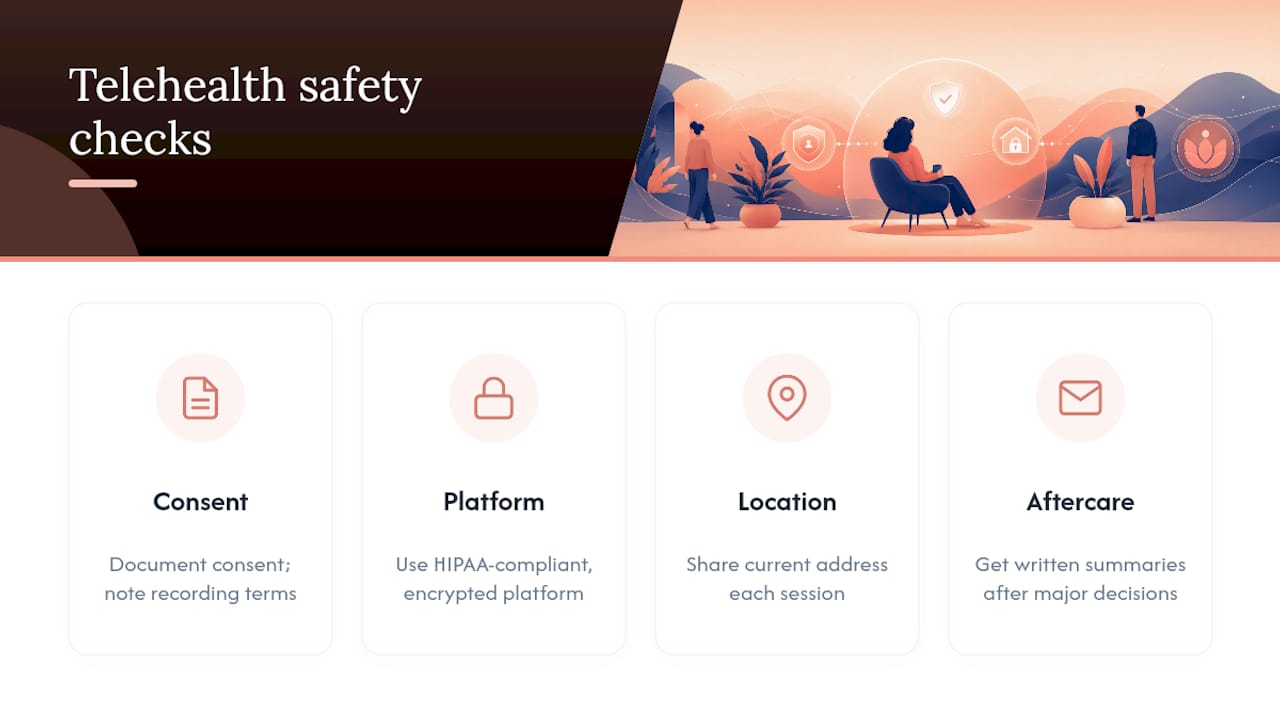
Get documentation when it matters. After sessions involving medication changes, safety planning, or any significant clinical decision, ask for a summary or aftercare instructions in writing. It's a reasonable request and a good provider will have this ready without you having to push.
When Telehealth Isn't the Right Fit
Telehealth works for the overwhelming majority of therapy needs, but it's not built for every situation. Knowing the difference protects you.
Clinical red flags that need in-person or emergency care:
- Active suicidal thoughts with a specific plan or intent
- Severe psychosis or a break from reality that makes video communication unreliable
- Any situation where you or someone else is in immediate physical danger
Practical limits that make telehealth harder to use well:
- No private space available, at home, at work, or anywhere else
- Internet or cell service too unreliable to sustain a session
- A clinical concern that genuinely requires a physical exam or in-person observation
If you recognize any of the clinical red flags in yourself, don't wait for your next scheduled session. Call 988, go to an emergency room, or contact local crisis services immediately. For the practical limits, bring it up directly with your clinician: "I don't think telehealth is working for me right now, can we talk about in-person options?" A responsible provider will have a referral pathway ready rather than trying to force a format that isn't serving you. Peer-reviewed literature on telehealth's role in behavioral health is consistent on this point: telehealth is effective for a broad range of conditions, but it has real limits around acute risk, and good clinicians plan for that rather than pretending it doesn't exist.
What a Good Telehealth Provider Should Offer You
Etiquette isn't a one-way street. Part of understanding professionalism in virtual therapy is knowing what you're entitled to expect from the person on the other side of the screen.
A provider who's doing this right will verify your identity at the start of care, walk you through exactly how telehealth sessions work, document your informed consent in writing, and explain what happens in an emergency before one ever occurs. That last point matters more than it sounds: best-practice guidance for telehealth providers specifically calls out verifying patient identity and explaining workflow details, like when a clinician will glance away to take notes, as standard operating procedure, not an optional extra.
Your provider should also give you a backup contact method (usually a phone number) for when video fails, and a clear, written cancellation or no-show policy so there's no ambiguity about fees or scheduling — tools and workflow solutions that MedScrub help clinicians manage during telehealth appointments. If any of this hasn't come up by your second session, ask.
Questions worth asking at intake:
- Is this platform HIPAA-compliant, and how is my data stored?
- Will you be taking notes during our sessions, and how does that work on video?
- What's your policy if I need to cancel or reschedule?
- What happens if our video connection drops in the middle of a session?
- How do you handle a situation where I'm in crisis during a virtual appointment?
None of these questions are confrontational. A provider who answers them clearly, without hesitation, is showing you exactly the kind of professionalism you should expect for the length of your treatment.
How Kin Wellness Approaches Telehealth Etiquette in Practice
Some virtual outpatient care providers build their services around clear telehealth principles, including consistent scripts for informed consent with clear explanations of recording policies, data storage, and emergency procedures before sessions begin.
Safety planning isn't an afterthought bolted onto intake paperwork. Therapists confirm a client's physical location at the start of sessions and maintain documented emergency contacts, consistent with the kind of local emergency planning that peer-reviewed telehealth research recommends for behavioral health providers working remotely. The practice also supports clients through insurance verification and coverage questions before treatment starts, which removes one of the biggest sources of first-session anxiety.
If you're getting ready to reach out, a simple script works well: "I'm interested in starting virtual therapy. Can you tell me what platform you use, whether it's HIPAA-compliant, and what your process looks like for verifying insurance coverage?" Asking that upfront helps ensure you receive clear answers about the provider's setup. For a broader look at how virtual psychiatric care works day to day, telepsychiatry for adults walks through what to expect across a full course of treatment.
Dressing for a Telehealth Session
You don't need business attire for teletherapy, but "whatever I slept in" undersells the moment more than most people realize. Aim for what you'd wear to run errands: real clothes, reasonably put together, nothing you'd be embarrassed to be seen in if your camera caught more of the room than expected.
There's a practical reason beyond appearances. Getting dressed, even minimally, signals to your own brain that this is a scheduled, intentional activity rather than a passive event happening to you while you scroll on your phone. Clients who show up in pajamas at 2 p.m. often report the session feeling less "real" than one attended in daytime clothes, and that perception shapes how much effort they put into the conversation.
Solid colors read better on camera than busy patterns, which can blur or strobe depending on your platform's video compression. Avoid all black or all white if your lighting is uneven, since both can throw off exposure and make your face harder to read. Beyond that, the standard is simple: dress in a way that makes you feel like yourself, ready to engage, not like you just rolled out of bed. What you wear should never become the thing you're thinking about instead of the conversation.
Communicating Clearly Over Video
Video calls strip out some of the small cues that make in-person conversation feel effortless, a slight lean forward, a raised eyebrow, so your verbal communication has to work a little harder to fill the gap.
Slow down slightly from your normal talking pace, especially if there's any lag in your connection. Overlapping speech is more common on video than in person, and slowing down by even 10 to 15 percent reduces the chances of talking over your therapist or getting cut off mid-thought. Pause briefly after finishing a point instead of rushing straight into the next one; it gives your therapist room to respond without an awkward interruption.
If you didn't catch something, say so immediately rather than nodding along and hoping it clarifies itself later. "Sorry, can you say that again? I lost the last part" costs you nothing and saves a whole session from drifting off track. The same goes in reverse: if your therapist seems to have missed something you said, a simple "did that come through okay?" resets the conversation without derailing it.
Tone matters more on camera, not less. Without the full range of in-person body language, your voice carries more of the emotional weight of what you're saying. If you're joking, make sure it lands as a joke; sarcasm reads flatter over video than it does face to face.
Managing Your Emotions and Self-Care Around Sessions
Therapy on video can surface the same intensity as in-person sessions, sometimes more, because you're often doing it from the same room where you eat dinner or answer work email. That proximity between "therapy space" and "everyday life" needs a little more intentional handling than an office visit does.
Build in a buffer after your session, even 10 minutes, before you jump back into work or parenting. Processing a hard conversation and then immediately answering a Slack message doesn't give your nervous system time to reset. If a session brings up something heavy, it's fair to tell your therapist directly: "I need a minute before we keep going" or "Can we slow down here?" Managing emotional boundaries in telehealth isn't about suppressing what comes up; it's about pacing it so you can actually use the rest of the session.
It also helps to have a plan for what you do right after a hard session ends, a short walk, a glass of water, five minutes of silence before checking your phone. Because telehealth removes the natural transition time of driving to and from an office, you have to build that transition back in yourself. Skipping it is one of the more common reasons clients report feeling "raw" for hours after a session that would have felt more contained in person.

Session Length and Break Guidelines for Telehealth
Therapy sessions usually run around an hour whether they're in-person or virtual, and telehealth doesn't change that baseline. What it does change is how fatigue shows up.
Screen fatigue is real, and it builds differently than in-person tiredness does. If you're doing back-to-back virtual appointments, work calls followed immediately by a therapy session, tell your therapist. Some clients benefit from a five-minute buffer between the end of a work call and the start of their session, just to reset before diving into something more personal.
For longer clinical formats, like intensive outpatient programming that runs multiple hours across a day, expect built-in breaks between blocks. If you're in a group or extended individual format and need an unplanned pause, say so plainly rather than pushing through. "I need a short break before we continue" is a completely normal thing to say in a virtual session, the same as it would be in person. A good provider will build breaks into longer formats without you having to ask, but shorter individual sessions rely more on you flagging fatigue when it hits.
Accessibility and Cultural Considerations in Telehealth
Telehealth etiquette isn't one-size-fits-all, and a good provider adjusts rather than expecting every client to fit the same mold.
If you have a hearing or vision difference, ask whether your platform supports captioning or screen-reader compatibility before your first session, not after you've already struggled through one. If English isn't your first language, or if you communicate more comfortably in another language, ask directly whether interpretation services are available; this is a reasonable request, not an inconvenience to the provider.
Cultural context shapes how comfortable someone feels being watched on camera, how much eye contact feels appropriate, and how directly emotions get expressed. A therapist attuned to virtual session etiquette across cultural backgrounds won't treat a quieter, less expressive client as disengaged, and won't assume a highly expressive client is in crisis. If something about the video format feels culturally uncomfortable for you, whether it's the eye contact, the closeness of the camera, or having a specific family member in the room, say so. Adjusting the format to fit you is part of what makes teletherapy work, not a deviation from how it's supposed to go.
What Actually Matters Most in Telehealth Etiquette
Most advice on this topic treats etiquette like a formality, dress code, punctuality, and not much else. That misses the actual mechanism. The habits that matter most are the ones that protect your ability to think clearly and speak honestly: a truly private room, a device you trust, and a body position that lets your therapist read you the way they would in person.
Conventional checklists tend to underweight the emotional transition problem. Nobody warns clients that jumping straight from a virtual therapy session into a work call, in the same chair, on the same laptop, can leave a session's insights feeling unprocessed. That gap between the guidance people give and what actually helps clients get value from teletherapy is where most of the real friction lives.
If you take one thing from all of this: prioritize the physical setup before anything else. A private, consistent space with reliable tech does more for the actual quality of your care than any amount of camera-ready polish or scripted small talk. Everything else, tone, pacing, wardrobe, is secondary to whether you can actually speak freely and be heard clearly.
— Dakota
Ready to Book a Telehealth Session With Kin Wellness?
If you've read this far, you already know more about telehealth etiquette than most people walking into their first virtual appointment, which puts you ahead before the session even starts. Virtual outpatient mental health services for adults often include individual therapy, group therapy, family therapy, EMDR, and medication management, delivered through a HIPAA-compliant platform that follows consent and safety practices similar to those covered above.

Getting started is straightforward. Check your insurance coverage first; many providers support private PPO, HMO, and some out-of-network benefits. Then have a photo ID and insurance card ready for intake. At your first teletherapy session, expect a clinician to verify your identity, walk you through informed consent, and confirm your current location for safety planning before starting clinical work. If you're weighing whether virtual care fits your situation, the evidence behind virtual therapy for adults is a useful place to start. When you're ready, visit Kin Wellness to check coverage and schedule your first appointment.
Sources
This article is general information, not a substitute for advice from a qualified doctor. Consult a qualified healthcare professional about your own circumstances before acting on anything here.
FAQ
What Is Telehealth Etiquette in Therapy?
Telehealth etiquette is the set of practical habits, a private space, tested technology, punctuality, and clear communication, that help a virtual therapy session function as well as an in-person one.
When Is Telehealth Not Appropriate for Therapy?
Telehealth isn't appropriate when there's active suicidal intent with a specific plan, severe psychosis, or any situation requiring immediate physical safety intervention; these cases need in-person or emergency care instead.
What Should I Expect From a Provider's Telehealth Setup?
Expect your provider to verify your identity, document informed consent, use a HIPAA-compliant platform, and explain their emergency procedures before your first real session, practices Kin Wellness builds into every intake.
What Visits Are Appropriate for Telehealth?
Most routine and ongoing therapy visits, individual counseling, medication management check-ins, and many group sessions, work well over telehealth, provided you have a private space and stable internet connection.
How Do I Prepare for My First Teletherapy Appointment?
Test your camera, microphone, and internet 15 minutes early, choose a private and consistent location, and have a backup phone number ready in case the video connection drops.